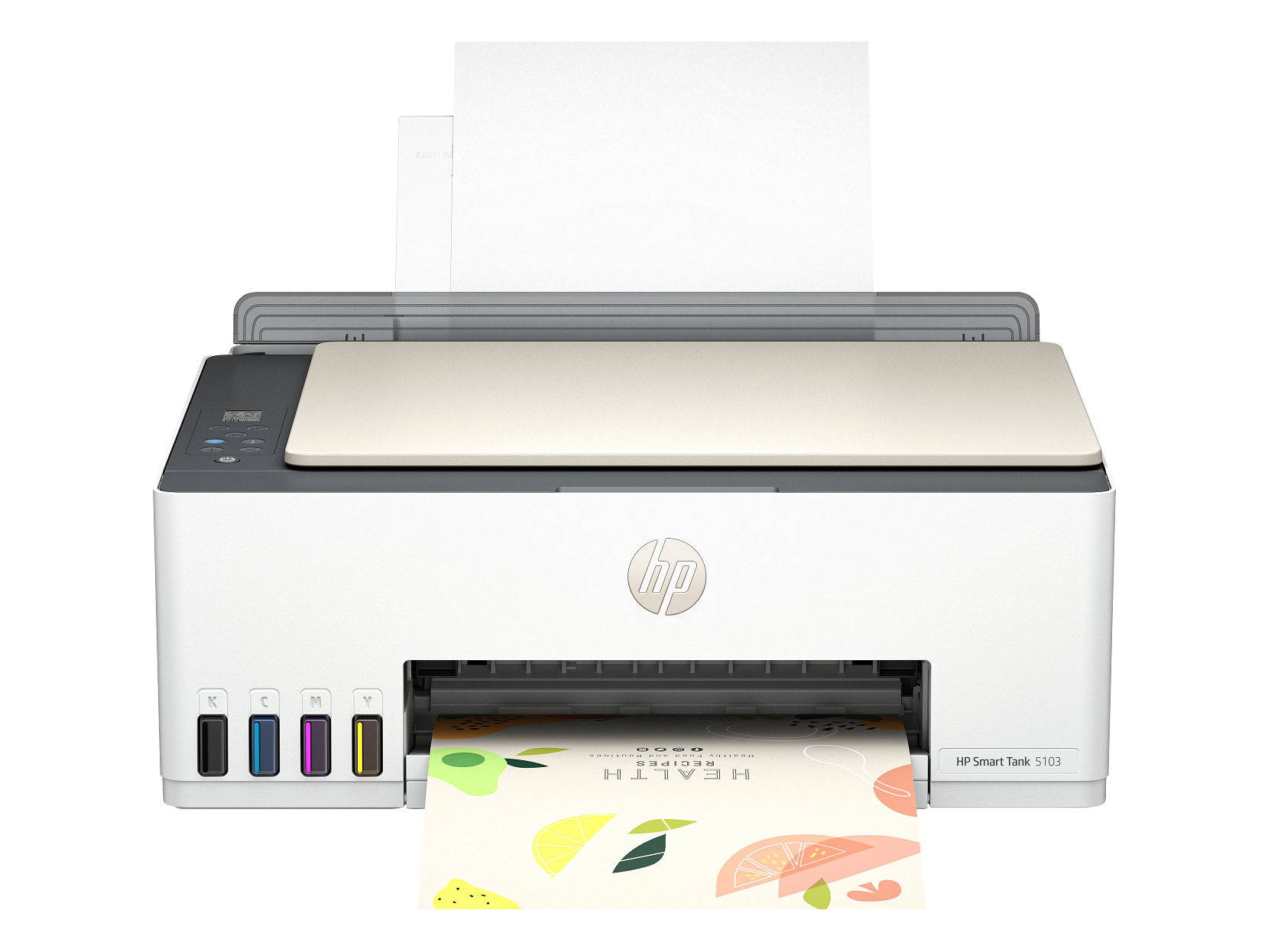
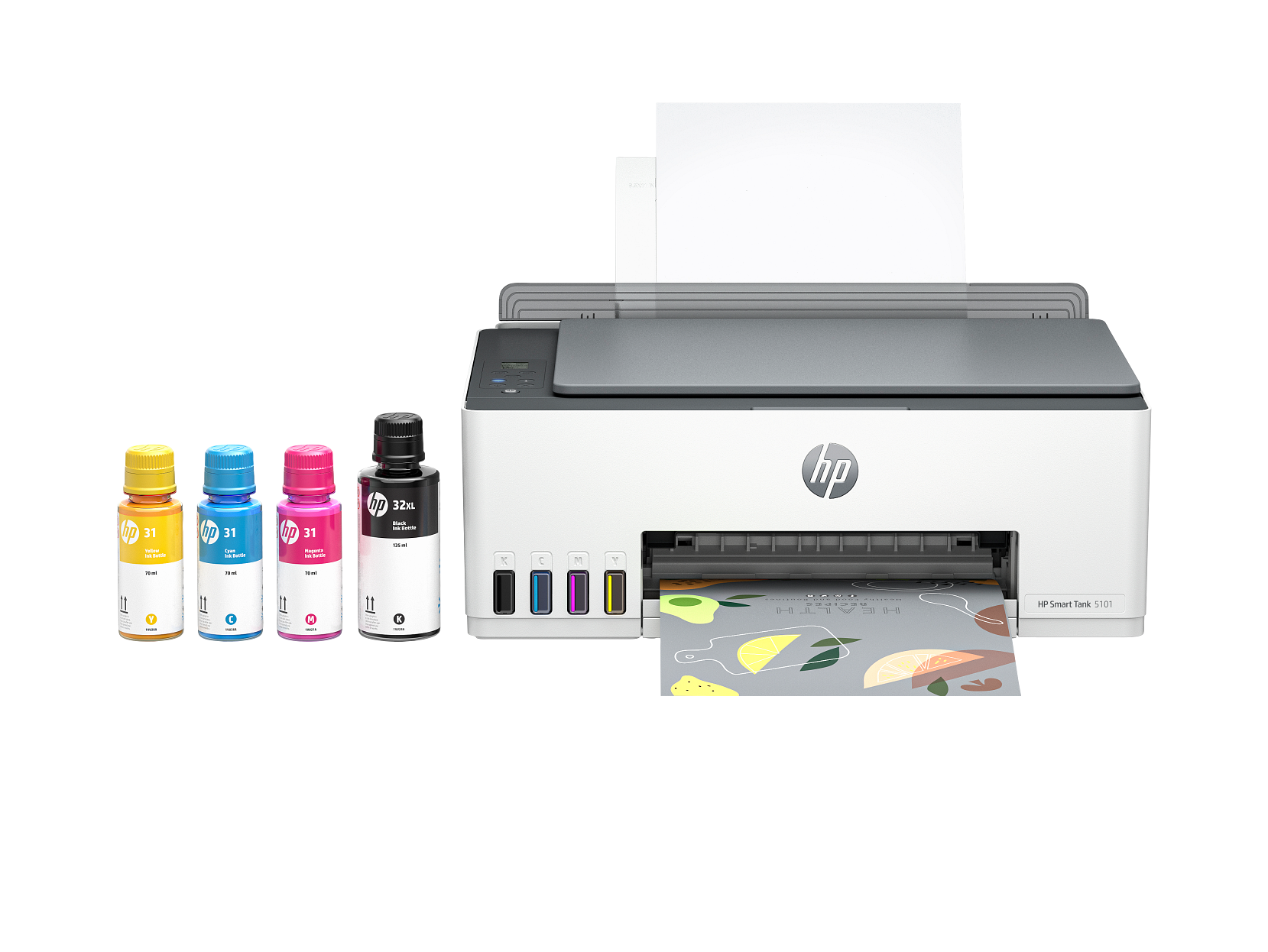
HP Smart Tank 5103 All-in-One Printer
Key Specs
- Print, Scan, Copy
- Up to 6,000 black / 8,000 color pages
- Refillable ink tanks
- Automatic duplex printing
- Wi-Fi and USB connectivity
- HP Smart App
Key Benefits vs Considerations
Key Benefits
- Compact design fits any home workspace
- Affordable printing for everyday documents
- Wireless printing from phones and tablets
- Quality photo printing capabilities
- Easy setup and maintenance for home users
Considerations
- Ink can dry out with infrequent use — regular printing recommended
- Not intended for heavy commercial workloads
- Print speed may vary based on quality settings
- Photo paper sold separately for best photo results
Who Should Buy This
Families
Printing school assignments, creative projects, and family photos at home.
Students
Need affordable, compact printers for essays, projects, and study materials.
Home Office Users
Require a versatile printer for documents, forms, and occasional photos.
Safety & Maintenance Tips
Safety Guidelines
- Place printer on a flat, stable surface with adequate ventilation
- Keep away from water and excessive moisture
- Use only genuine or compatible ink cartridges
- Do not touch the printhead nozzles or electrical contacts
- Unplug during extended periods of non-use
- Keep out of reach of young children
Maintenance Best Practices
- Print a test page weekly to prevent printhead clogging
- Replace ink cartridges when print quality declines
- Run the built-in printhead cleaning utility periodically
- Update printer firmware to access the latest features
- Clean the paper feed rollers to prevent paper jams
- Check the manufacturer's website for troubleshooting guides
Manufacturer Part Number: ST5103
Product Number
HP-ST5103
Brand
HP
Category
Home Inkjet
Print Technology
HP Thermal Inkjet
Print Speed
Up to 7.5 ppm (black)
Duplex Printing
Automatic
Connectivity
Wi-Fi and USB connectivity
Condition
Brand New — Factory Sealed
Warranty
Manufacturer Warranty Included
The HP Smart Tank 5103 offers exceptional value with its refillable ink tank system that drastically reduces printing costs. With up to 6,000 black pages or 8,000 color pages from included ink bottles, it is ideal for high-volume home printing. Features include wireless connectivity, automatic two-sided printing, and a modern design that looks great in any home setup.
What's in the Box
- HP Smart Tank 5103 All-in-One Printer
- Starter Ink Cartridge(s)
- Power Cord and AC Adapter
- Quick Start Setup Guide
- Warranty Information Card
- Software Installation Guide
Ideal Use Cases
- Everyday home document printing
- School assignments and homework
- Family photo printing
- Home office correspondence
- Creative projects and crafts
- Print, Scan, Copy
- Up to 6,000 black / 8,000 color pages
- Refillable ink tanks
- Automatic duplex printing
- Wi-Fi and USB connectivity
- HP Smart App
- Spill-free refill
- Print from smartphone or tablet
Related Products
Buying Guide: Choosing the Right Home Inkjet
Home inkjet printers are designed for occasional everyday use — schoolwork, household forms, the odd photo print — without the bulk or expense of an office machine. The models in our home lineup focus on quiet operation, easy mobile printing, and the flexibility to switch between text documents and photo-quality output. Use the points below to find a printer that fits your space and your routine.
Print quality and photo capability
For photo printing at home, look for an inkjet that supports photo-quality settings and uses pigment-based black ink alongside dye-based color inks. Resolution is measured in dots per inch (dpi); 4800×1200 dpi or higher is more than enough for sharp 4×6 and 5×7 prints. Always use proper photo paper for the best results — plain copy paper will not produce vivid color or gloss.
Wireless and mobile printing
Modern home inkjets connect to your home Wi-Fi and let you print directly from a phone, tablet, or laptop without installing dedicated drivers. Apple AirPrint, Mopria for Android, and the manufacturer’s mobile app are the easiest paths. If your home Wi-Fi router is far from where the printer will live, choose a model that supports Wi-Fi Direct so you can print phone-to-printer even without a network.
Ink economy and infrequent use
The biggest pitfall with home printers is letting them sit idle for weeks. Inkjet printheads can clog when ink dries out, leading to streaks or missing colors. To keep ink flowing, print a single page roughly once a week — even a quick test page is enough. If you print very rarely, consider a model with replaceable printheads or one of HP’s ink subscription programs to control cost.
Footprint, noise, and ease of setup
Compact home printers are typically 16–18 inches wide and weigh 15–22 lbs. Setup with most current models takes about 10 minutes: unbox, install the included cartridges, run the guided wireless setup from the companion app, and you’re printing. Noise levels under 50 dB(A) on standard settings are quiet enough for shared living spaces and home offices.
Typical print volume
20–300 pages/month
Recommended for
Households & students
Average setup time
Under 10 minutes
Free shipping
All 50 US states
Frequently Asked Questions About the HP Smart Tank 5103 All-in-One Printer
Below are answers to the questions our customers ask most often before buying the HP Smart Tank 5103 All-in-One Printer. If you don’t see your question, our team is happy to help — contact us or browse the full FAQ page for shipping, returns, and account questions.
Q.Is the HP Smart Tank 5103 All-in-One Printer brand new and covered by warranty?
Q.What is included in the box with the HP Smart Tank 5103 All-in-One Printer?
Q.How long does shipping take, and is it really free?
Q.What kind of ink does the HP Smart Tank 5103 All-in-One Printer use, and where can I buy refills?
Q.Can I print wirelessly from my phone or tablet to the HP Smart Tank 5103 All-in-One Printer?
Q.Where is the HP Smart Tank 5103 All-in-One Printer shipped from, and can I return it if it doesn’t fit my needs?
You May Also Like: Top Picks from Office Inkjet
Many of our home inkjet customers also shop our office inkjet collection. Below are three popular models that pair well with the HP Smart Tank 5103 All-in-One Printer or fit a different room or workflow in the same home or business.