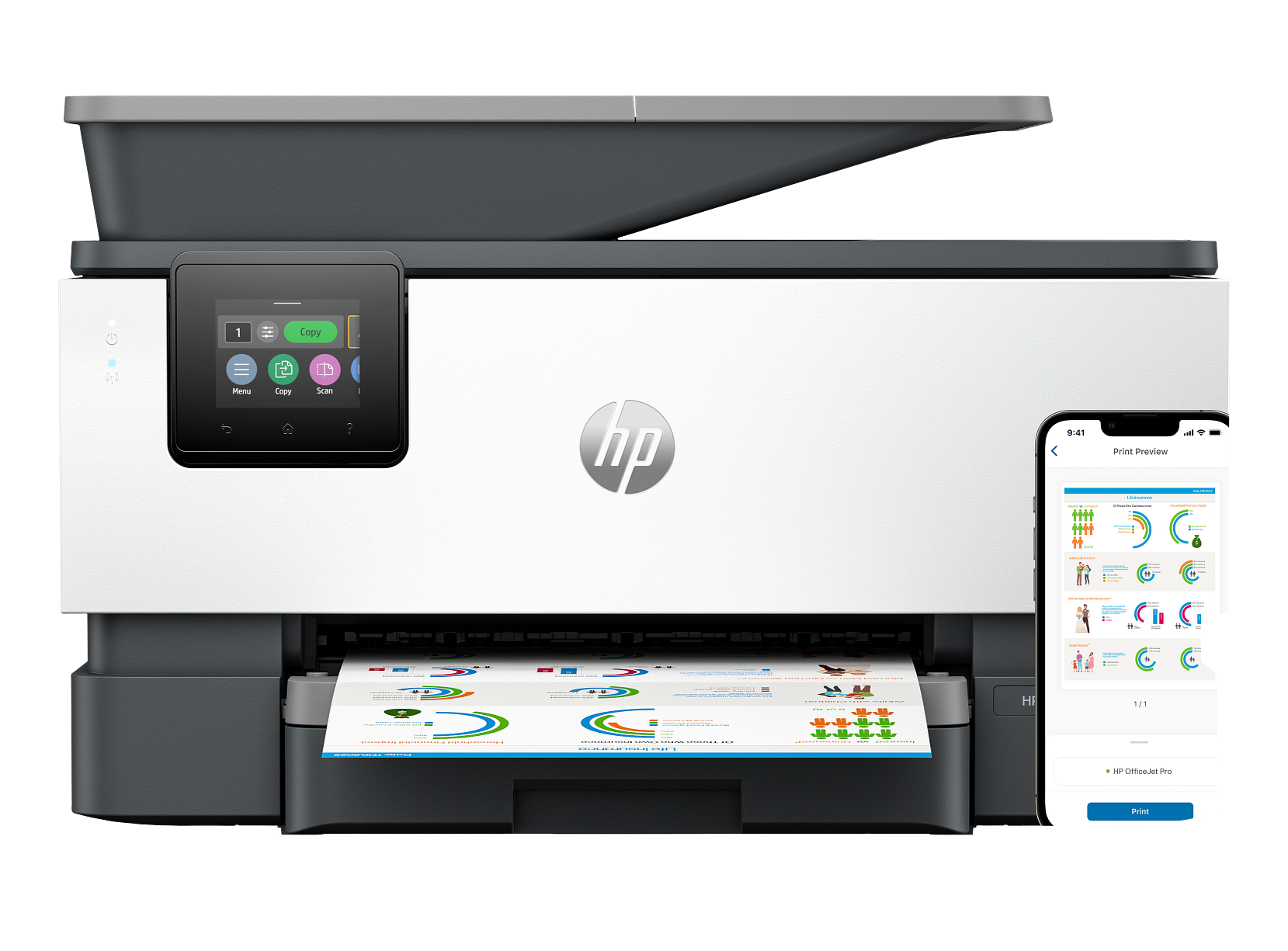
HP OfficeJet Pro 9125e All-in-One Printer
Key Specs
- Print, Scan, Copy, Fax
- 22 ppm black / 18 ppm color
- 100-page auto document feeder
- 500-sheet total capacity
- Auto duplex printing
- 4.3-inch color touchscreen
Key Benefits vs Considerations
Key Benefits
- Reliable performance for daily office printing needs
- High-yield ink options reduce cost per page
- Network-ready with Wi-Fi and Ethernet connectivity
- Automatic duplex printing saves paper
- Fast print speeds for busy work environments
Considerations
- Ink cartridges require periodic replacement
- Not suited for extremely high-volume commercial printing
- Ink costs should be factored into long-term budgeting
- Requires adequate desk or stand space
Who Should Buy This
Small Business Owners
Need reliable, cost-effective printing for invoices, reports, and everyday documents.
Office Managers
Looking for shared network printers that support multiple users and high duty cycles.
Remote Teams
Require professional-quality output at home office setups with wireless connectivity.
Safety & Maintenance Tips
Safety Guidelines
- Place printer on a flat, stable surface with adequate ventilation
- Keep away from water and excessive moisture
- Use only genuine or compatible ink cartridges
- Do not touch the printhead nozzles or electrical contacts
- Unplug during extended periods of non-use
- Keep out of reach of young children
Maintenance Best Practices
- Print a test page weekly to prevent printhead clogging
- Replace ink cartridges when print quality declines
- Run the built-in printhead cleaning utility periodically
- Update printer firmware to access the latest features
- Clean the paper feed rollers to prevent paper jams
- Check the manufacturer's website for troubleshooting guides
Manufacturer Part Number: OJP9125E
Product Number
HP-OJP9125E
Brand
HP
Category
Office Inkjet
Print Technology
HP Thermal Inkjet
Print Speed
22 ppm black / 18 ppm color
Duplex Printing
Automatic
Connectivity
Wi-Fi, Ethernet, USB
Condition
Brand New — Factory Sealed
Warranty
Manufacturer Warranty Included
The HP OfficeJet Pro 9125e delivers top-tier office printing performance with blazing fast speeds and exceptional print quality. This all-in-one printer is designed for mid-size offices that demand reliability and efficiency. Features include a large-capacity paper tray, automatic two-sided printing, and a powerful 100-page ADF for high-volume scanning and copying tasks.
What's in the Box
- HP OfficeJet Pro 9125e All-in-One Printer
- Starter Ink Cartridge(s)
- Power Cord and AC Adapter
- Quick Start Setup Guide
- Warranty Information Card
- Software Installation Guide
Ideal Use Cases
- High-volume office document printing
- Team and workgroup shared printing
- Professional business reports and presentations
- Invoice and purchase order printing
- Multi-user network printing environments
- Print, Scan, Copy, Fax
- 22 ppm black / 18 ppm color
- 100-page auto document feeder
- 500-sheet total capacity
- Auto duplex printing
- 4.3-inch color touchscreen
- Wi-Fi, Ethernet, USB
- Enhanced security features
Related Products
Buying Guide: Choosing the Right Office Inkjet
Choosing the right office inkjet printer comes down to matching daily volume, ink economy, and connectivity to the way your team actually works. Our office models are selected for small businesses, growing teams, and remote professionals who need professional-grade output without the maintenance overhead of a heavy laser fleet. Below we explain the specs that matter most so you can shop with confidence.
Print speed and monthly duty cycle
Manufacturer print speeds (measured in pages per minute, or ppm) describe peak draft output. For day-to-day office use, expect real-world speeds of roughly 60–80% of that figure on standard documents and noticeably slower on high-quality color or photo settings. The monthly duty cycle tells you the maximum number of pages the printer is engineered to handle in a month — for predictable longevity, plan to operate at no more than 25% of the rated duty cycle.
Cost per page and ink yield
Office inkjets are most economical when paired with high-yield (XL) cartridges. Compared to standard cartridges, XL cartridges typically reduce cost per page by 30–50%. If your team prints more than a few hundred pages per month, the upfront price difference pays for itself within the first two refill cycles. Look at the manufacturer’s page-yield rating — measured per ISO/IEC 24711 — rather than the raw ink volume in milliliters.
Connectivity and network features
Wi-Fi, Ethernet, and AirPrint or Mopria support let multiple workstations and mobile devices share a single printer without extra cables. Wired Ethernet is the most stable option for offices with several daily users; Wi-Fi is convenient for hybrid and remote setups. Confirm that any printer you consider supports the operating systems your team relies on, including the latest macOS, Windows 11, ChromeOS, iOS, and Android.
Paper handling and duplex printing
Automatic two-sided (duplex) printing cuts paper use roughly in half and is standard on every office model we carry. Pay attention to input tray capacity (250-sheet trays are typical for small business; 500-sheet for higher volumes) and supported media types if you frequently print envelopes, labels, or heavyweight stock.
Typical print volume
500–3,000 pages/month
Recommended for
1–10 person teams
Average setup time
Under 15 minutes
Free shipping
All 50 US states
Frequently Asked Questions About the HP OfficeJet Pro 9125e All-in-One Printer
Below are answers to the questions our customers ask most often before buying the HP OfficeJet Pro 9125e All-in-One Printer. If you don’t see your question, our team is happy to help — contact us or browse the full FAQ page for shipping, returns, and account questions.
Q.Is the HP OfficeJet Pro 9125e All-in-One Printer brand new and covered by warranty?
Q.What is included in the box with the HP OfficeJet Pro 9125e All-in-One Printer?
Q.How long does shipping take, and is it really free?
Q.What kind of ink does the HP OfficeJet Pro 9125e All-in-One Printer use, and where can I buy refills?
Q.Can I print wirelessly from my phone or tablet to the HP OfficeJet Pro 9125e All-in-One Printer?
Q.Where is the HP OfficeJet Pro 9125e All-in-One Printer shipped from, and can I return it if it doesn’t fit my needs?
You May Also Like: Top Picks from Home Inkjet
Many of our office inkjet customers also shop our home inkjet collection. Below are three popular models that pair well with the HP OfficeJet Pro 9125e All-in-One Printer or fit a different room or workflow in the same home or business.